Your first deploy
Deploy your first application on Deployra in minutes. This guide covers everything from GitHub integration to monitoring your live application.
Prerequisites
Before you deploy your first application, you'll need:
- A GitHub account with your code repository
- A Deployra account (sign up if you haven't already)
- Basic knowledge of your application's requirements
Step 01 — Sign up
Create your Deployra account to get started.
Visit the sign-up page and create your account using email.
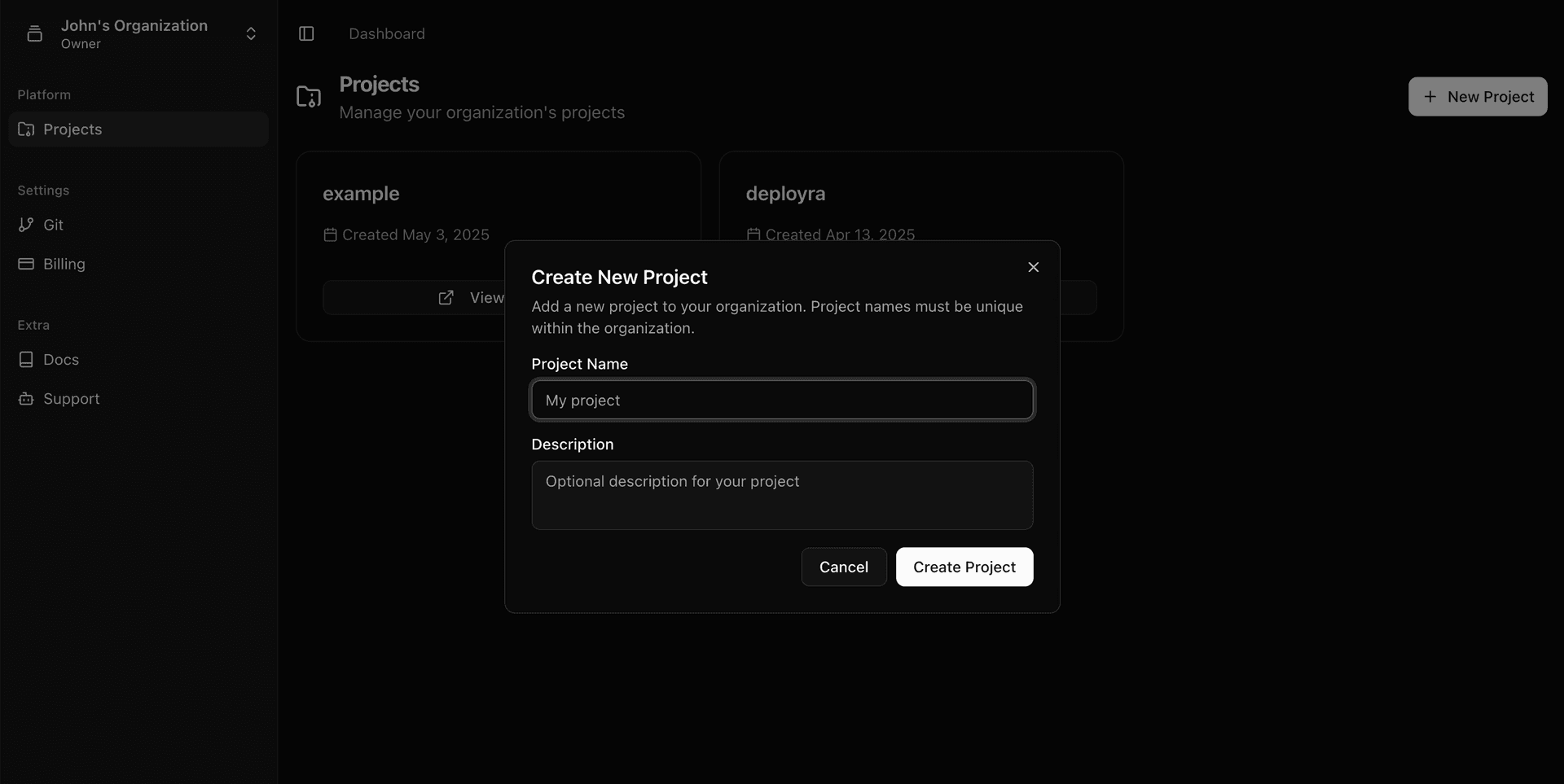
Step 02 — Create a project
Create a new project to organize your services.
- Navigate to the dashboard. After logging in, go to your dashboard and click "New Project".
- Configure project settings. Enter a name for your project and configure any project-level settings.
Step 03 — Link your repo
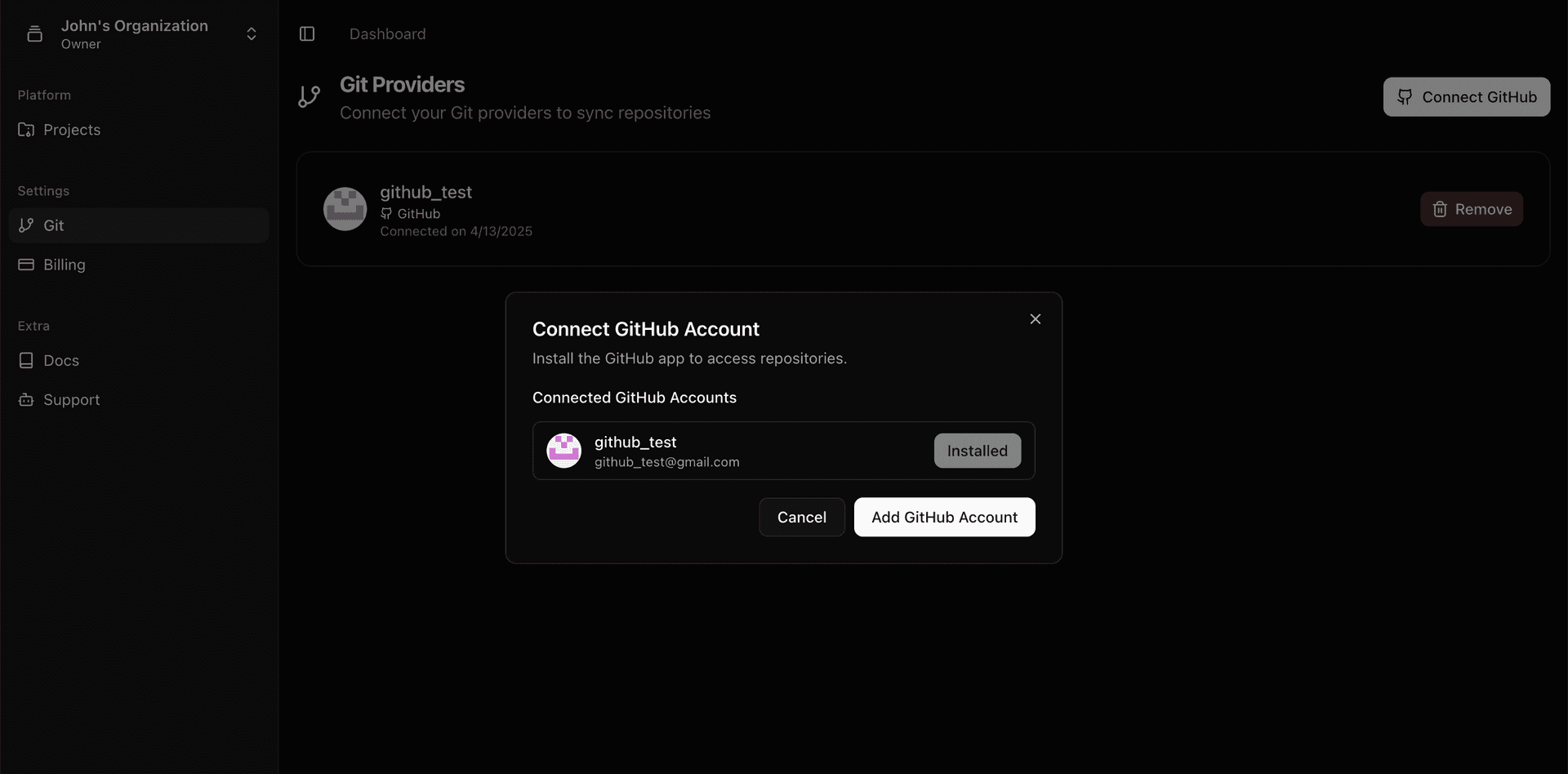
Connect your GitHub repository to Deployra.
- Connect to GitHub. Select "Connect GitHub Repository" and authorize Deployra.
Step 04 — Choose a service type
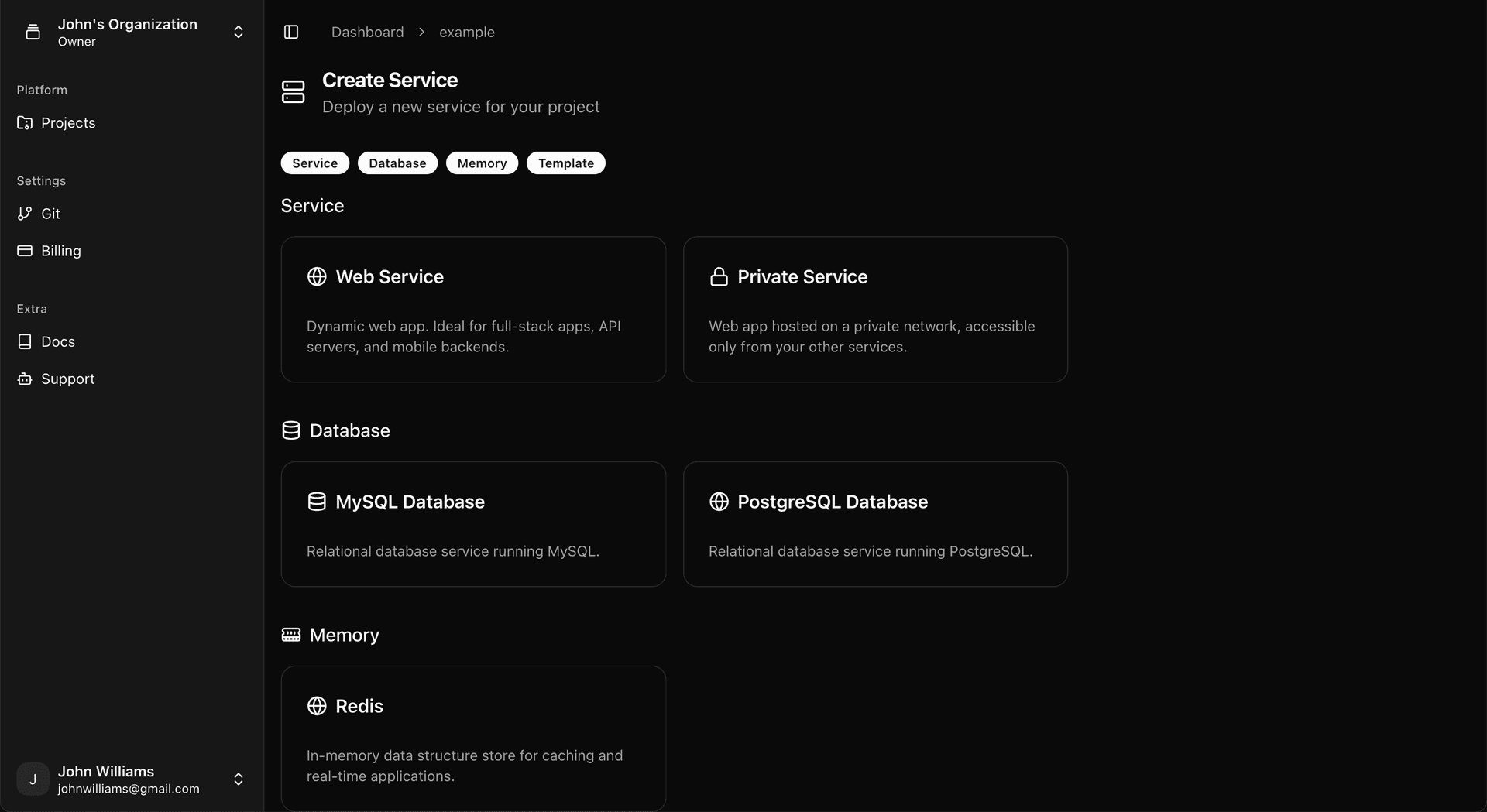
Select the type of service that best fits your application's needs.
- Navigate to the dashboard. After logging in, go to your dashboard and click "New Service".
- Select a service type. Choose from Web Service, Static Site, Background Worker, or other options depending on your needs.
Tip: Make sure your repository has the necessary configuration files for your application type.
Step 05 — Configure deployment
Set up your deployment configuration based on your application's requirements.
- Configure build settings. Set your build command, publish directory, and environment variables.
# Example environment variables
NODE_ENV=production
PORT=8080
DATABASE_URL=database_connection_string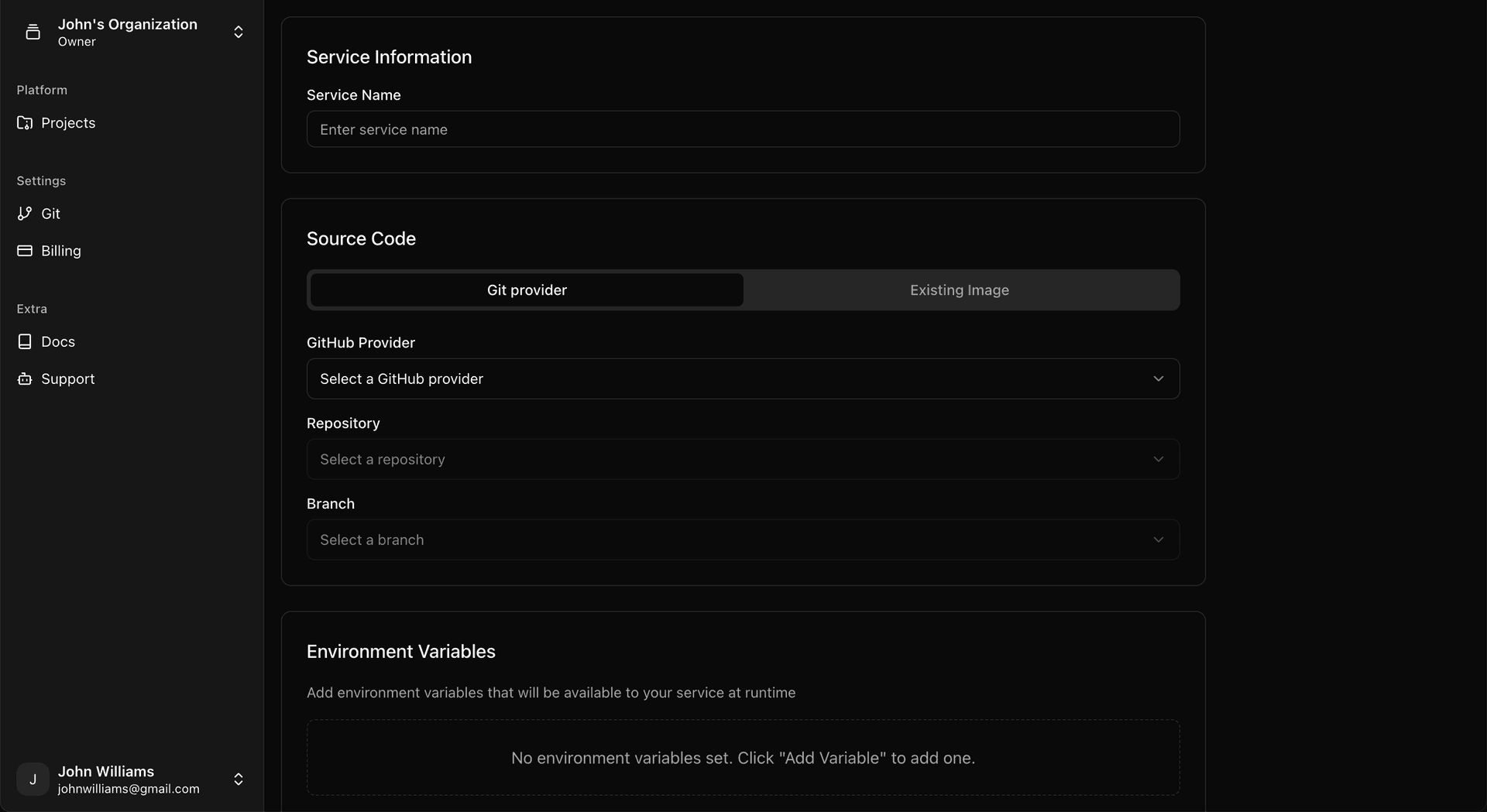
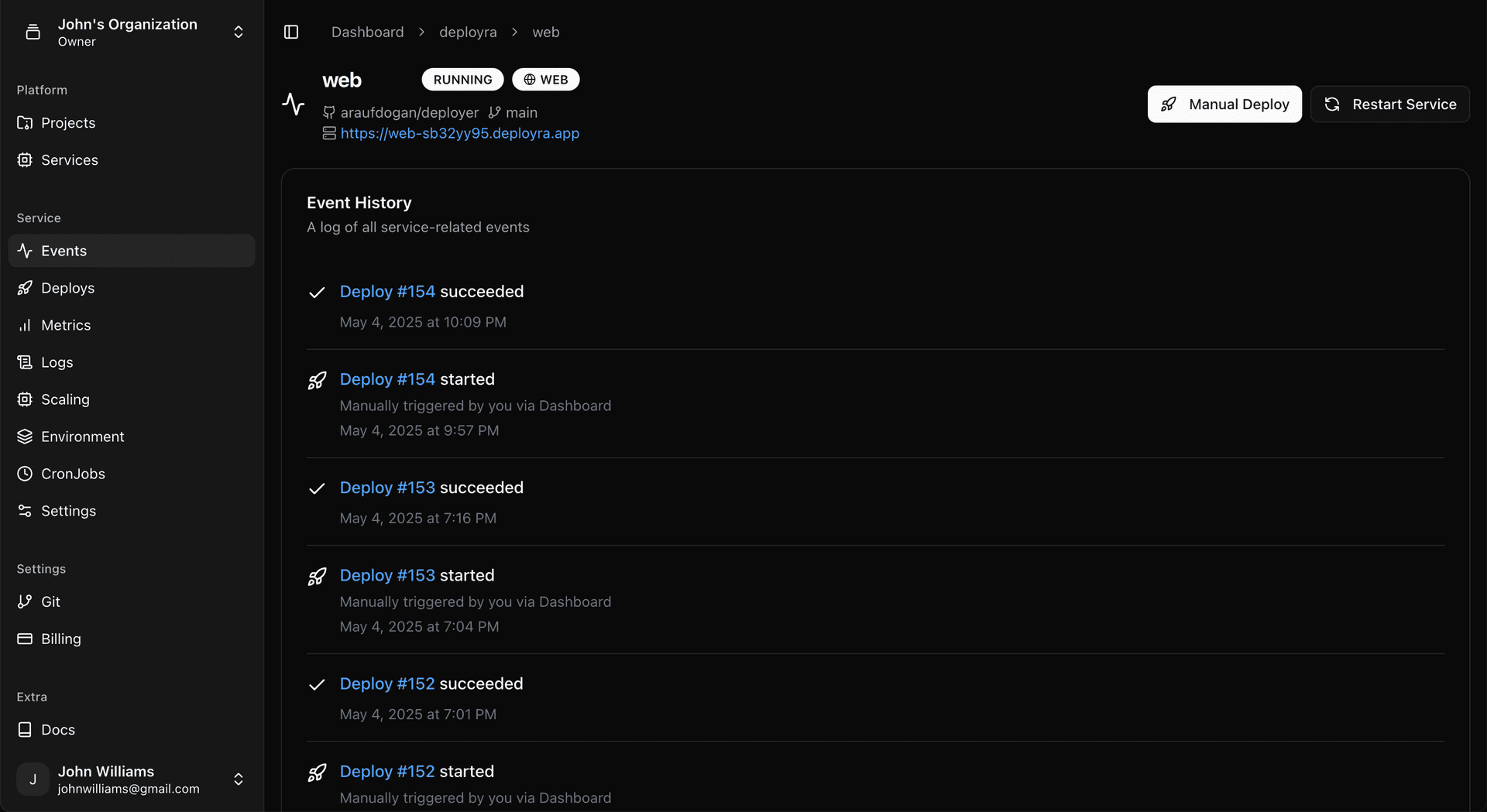
Step 06 — Monitor your deploy
Watch the deployment process and check for any issues.
- View deployment logs. Monitor the build and deployment process in real-time.
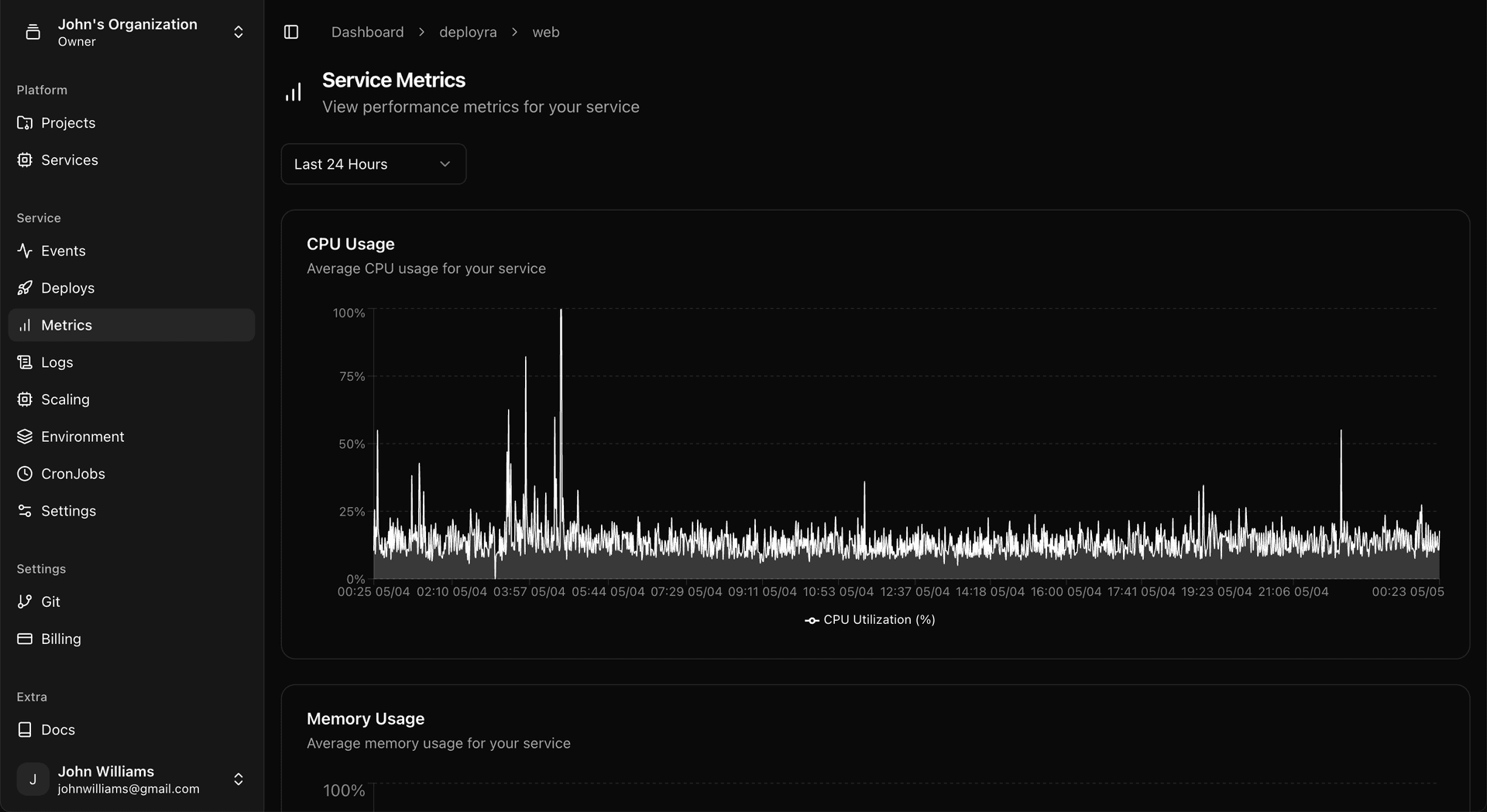
- View resource usage. Monitor the resource usage of your service.
Step 07 — Open your app
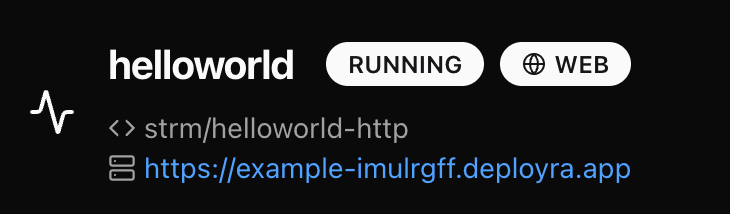
Once deployment is complete, access your live application.
- Visit your app. Click the link to view your deployed application.
Next steps after your first deploy
- Free tier benefits — deploy a hobby project on a free web service with 512MB RAM and 1 CPU core.
- Explore service types — learn about web services, private services, and databases.
- Supported languages — deploy Node.js, Python, Ruby, Go, and more.
Frequently asked questions
How long does the first deployment take?
Most first deployments complete within 2-5 minutes. The exact time depends on your application size, dependencies, and build complexity. Node.js and static sites typically deploy fastest, while applications with heavy dependencies may take a bit longer.
What if my deployment fails?
Check the deployment logs in your dashboard for specific error messages. Common issues include missing dependencies, incorrect build commands, or environment variable problems. Our documentation covers troubleshooting for most common deployment issues.
Can I deploy private repositories?
Yes! Deployra supports both public and private GitHub repositories. When you connect your GitHub account, you can select from all repositories you have access to, including private ones within your organizations.
How do I update my deployed application?
Push changes to your connected GitHub branch. Deployra automatically detects new commits and triggers a new deployment. You can also manually trigger deployments from the dashboard if needed.
What programming languages are supported?
Deployra supports Node.js, Python, Ruby, Go, Rust, Elixir, and more through automatic buildpacks. You can also use custom Docker containers for any language or framework not automatically detected.